Free tool
Room Visualiser
See any GF floor in your own room before you order. Upload a photo of your room, choose a design, and in about 30 seconds you will see how it could look. It is free, and we email you a copy to keep.
How it works
Three simple steps
Step 1
Choose a design
Pick a range below and browse its designs.
Step 2
Upload your room
Press See it in your room and add a photo.
Step 3
See it, then sample it
See the floor in your room, then order a free sample to see the real thing.
Choose a range
Glue Down LVT
Bonded to the subfloor for the most stable, seamless finish. Three wear layers, plus the GF by AW collection.
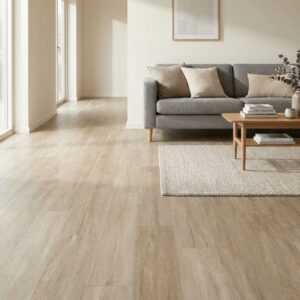 GF Glue Down 0.310 designs2.0mm glue-down LVT with a 0.3mm wear layer, for bedrooms and lighter-traffic rooms.Choose a design
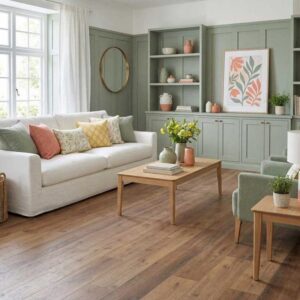 GF Glue Down 0.5564 designs2.5mm glue-down LVT with a 0.55mm wear layer, in plank, herringbone, basketweave and stone-effect tile.Choose a design
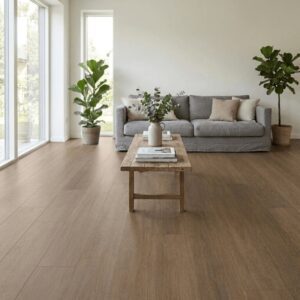 GF Glue Down 0.729 designs3.0mm glue-down LVT with a 0.7mm wear layer for the busiest rooms, in plank, herringbone, chevron and stone-effect tile.Choose a design
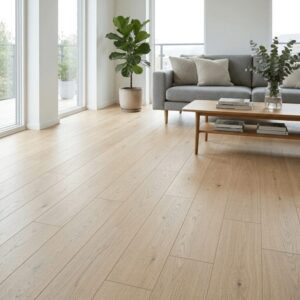 GF by AW Glue Down16 designsGlue-down LVT made by Associated Weavers, in plank and parquet.Choose a design
Click SPC
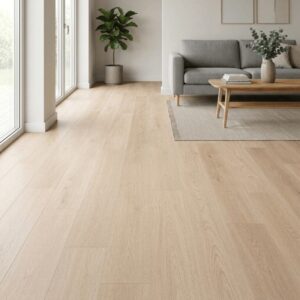
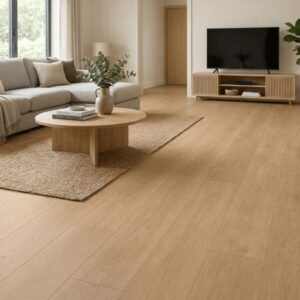
Rigid, 100% waterproof click flooring with the underlay built in. It floats over a prepared subfloor without glue.
Engineered Wood
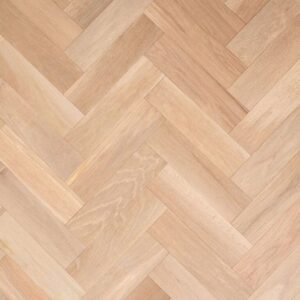
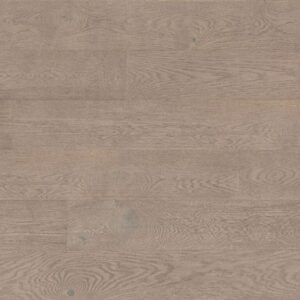
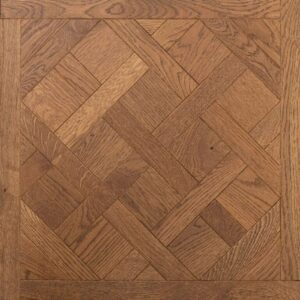
A real oak top layer on a stable engineered core, in herringbone, plank and Versailles panels.
Tips for the best result
- Stand up and hold your phone at chest height, looking slightly down at the room.
- Get plenty of floor in the shot. The more floor the AI can see, the better the result.
- Use daylight where you can, with the lights on if the room is dark.
- Clear rugs and clutter from the floor if you can.
- Landscape photos usually work best for whole rooms.
What to expect
The visualiser keeps your room exactly as it is, with the same walls, furniture, light and camera angle, and changes only the floor. It is an AI visualisation, so colours and scale are a guide rather than an exact match.
To see the real thing, order free samples of up to five designs. They are sent within three to five days and you keep them.
Questions
Frequently asked questions
Is the GF room visualiser free?
Yes. It is free to use and there is no account to create. We ask for your first name and email address so we can send you a copy of your image.
Does it work on my phone?
Yes. It works in the web browser on your phone, tablet or computer. On a phone you can take a new photo or choose one you already have.
Can I try different floors in the same room?
Yes. Once you have uploaded a photo, you can try as many designs on that range page as you like without uploading it again. There is an hourly limit per visitor to keep the service running smoothly.
How accurate is it?
It is an AI visualisation, so treat colours and scale as a guide. Screens and lighting vary, so we always recommend ordering free samples to see the real floor in your own light before you buy.
What happens to my photo?
Your photo is sent to our AI provider, Google, to create the image. We do not keep your original photo. We keep the finished image so we can email it to you. Our privacy policy has the details.
Does it work for kitchens and bathrooms?
Yes. It works in any room where the floor is in view. GF Glue Down LVT and GF Click SPC are waterproof, so they suit kitchens and bathrooms. For engineered wood, check the range page for where it can be fitted.